Capabilities

What ColdAisle covers

Modules from the running product — not a slideware checklist. A setup wizard and a live-UI tour get you to the first rack, then the floor, power, cabling, IPAM, and raceways you walk every day.

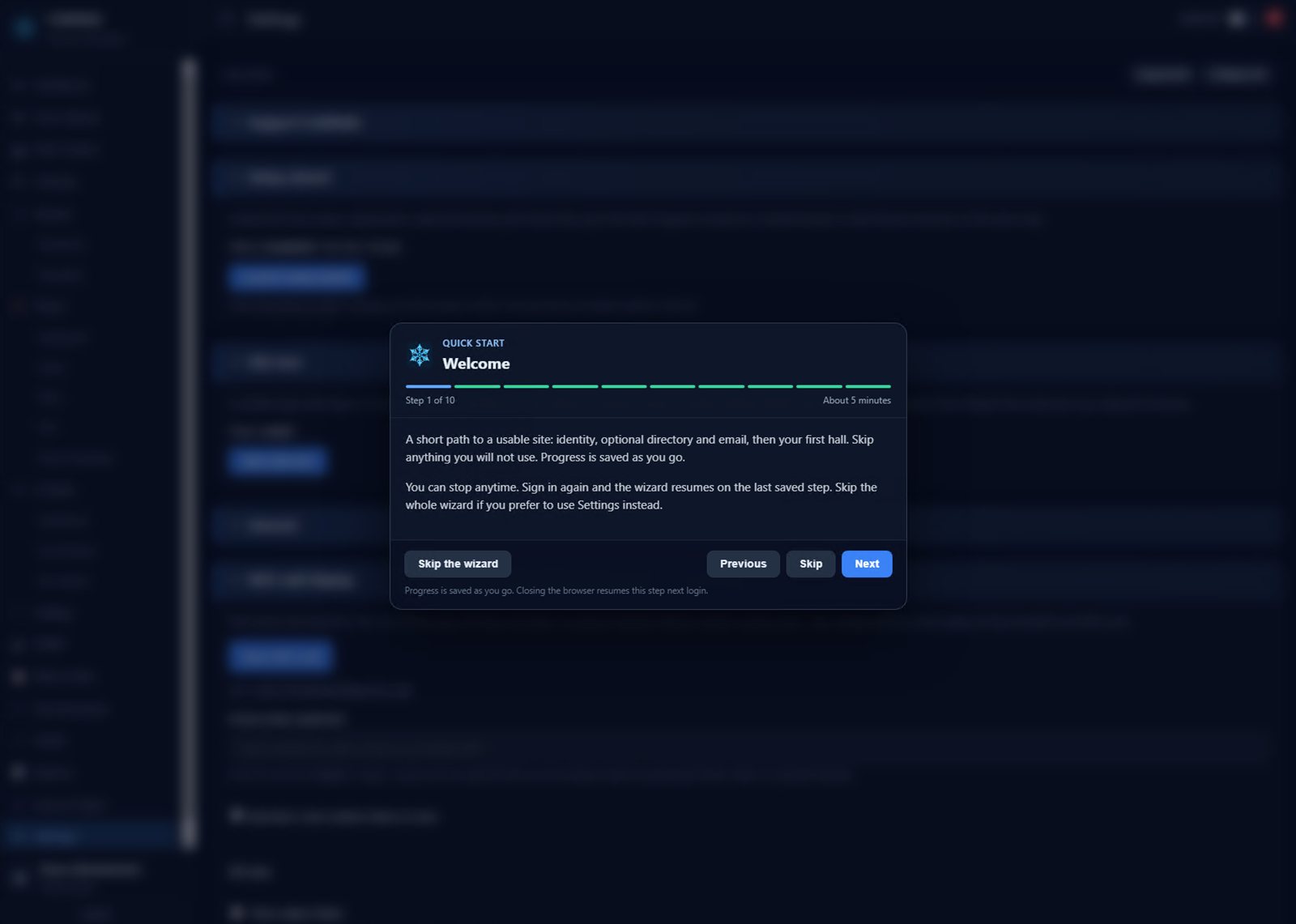
Setup wizard

About five minutes. Next and Previous. Skip what you will not use.

  • Opens on first admin login after a fresh install. Progress is saved; close the browser and you resume on the same step.
  • Starts with what has no dependencies: organization, timezone, length and temperature units.
  • Optional LDAPS and SMTP — each with a real test before you enable it. Local accounts already work.
  • Data-hall size is the room the floor plan draws, stored in meters. Feet is a display choice, not a second set of numbers that drift the canvas.
  • Skip unused areas (power, UPS, cooling, sensors, cabling, SNMP). The last step lists what to do next, then closes so you actually see the page.
  • Relaunch from Settings if you need it again (with a warning if inventory already exists). Skip the wizard entirely and it stays gone.
Setup wizard

Site tour

Flags on the running console, not a slide deck under a modal.

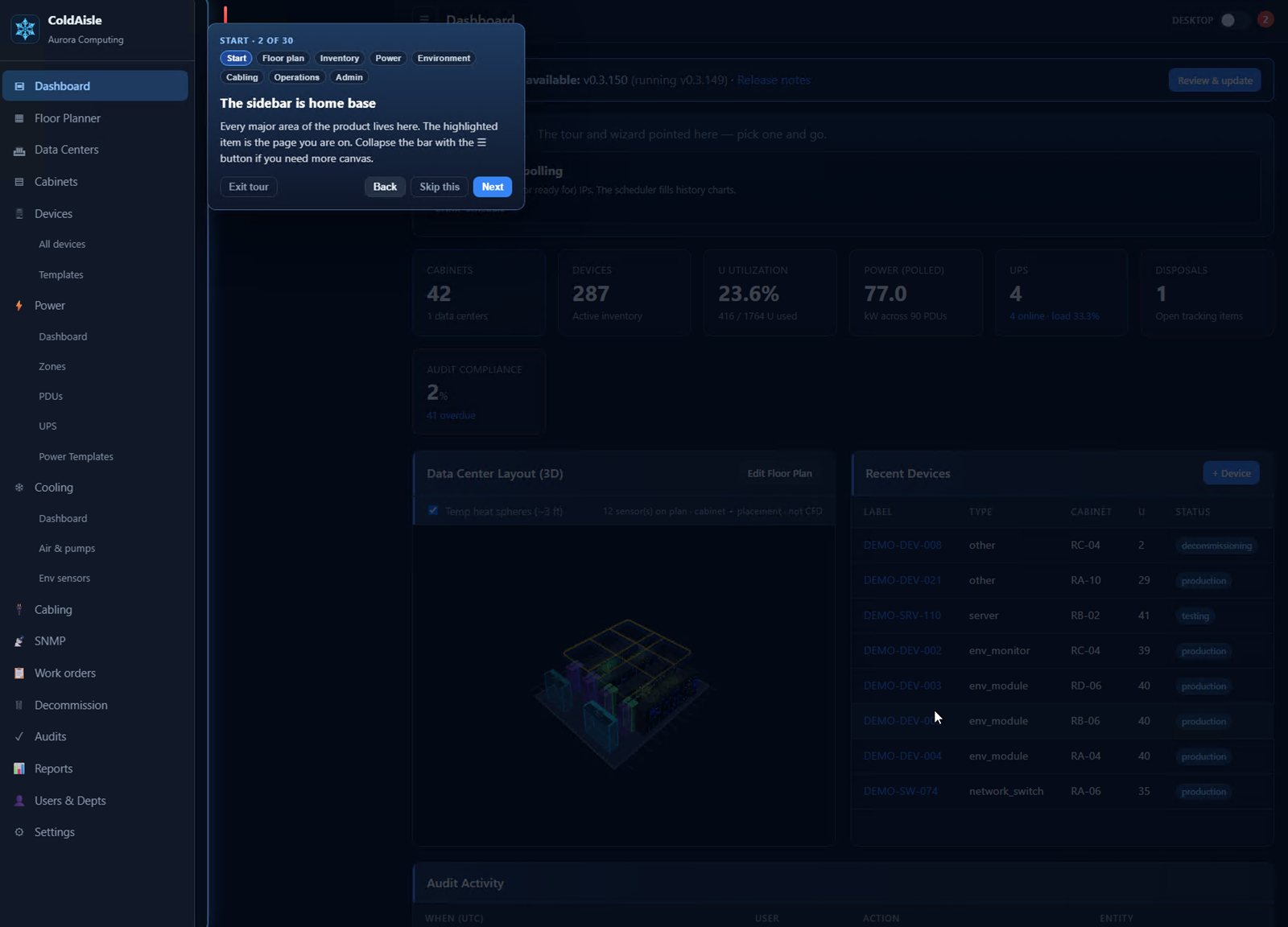
  • Spotlight and a flag card sit on the real control: sidebar, dashboard tiles, 3D hall, floor-plan toolbar, PDUs, cabling, SNMP, work orders, audits, Settings.
  • Chapters (Start, Floor plan, Inventory, Power, Environment, Cabling, Operations, Admin) so you can jump to SNMP without walking twenty steps.
  • On the floor plan, some flags wait until you try it — click + Cabinet, toggle Grid, flip 3D View — or skip that action.
  • Exit anytime (Esc). Restart from Settings whenever you onboard someone new.
  • The dashboard shows Next useful clicks when cabinets, devices, PDUs, or SNMP polling are still missing. The strip disappears when the basics exist.
Site tour

Authentication

Local passwords, LDAPS, and Microsoft Entra ID in one install.

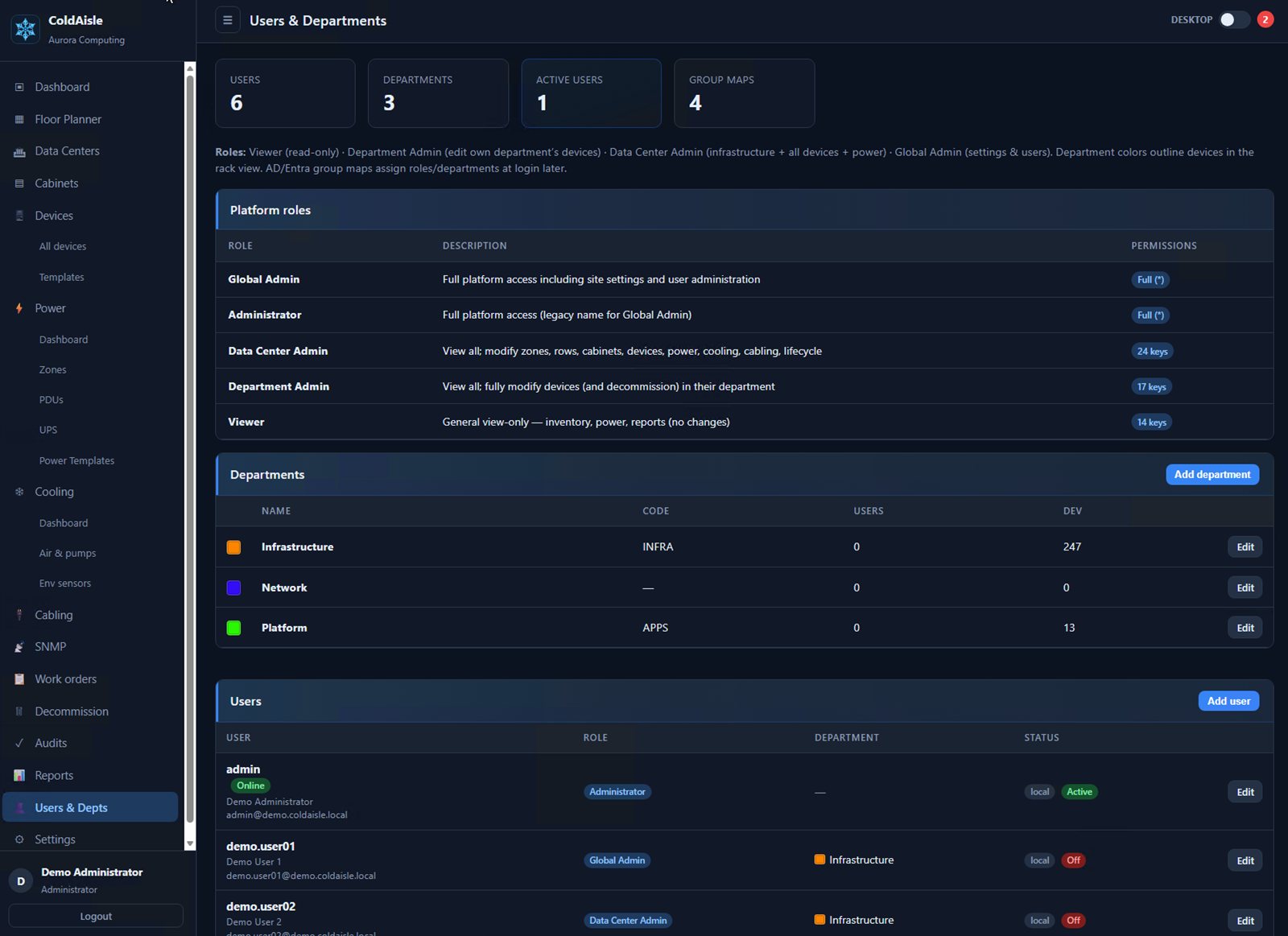
  • Local accounts managed under Users — no fixed default password; you create the admin in setup.
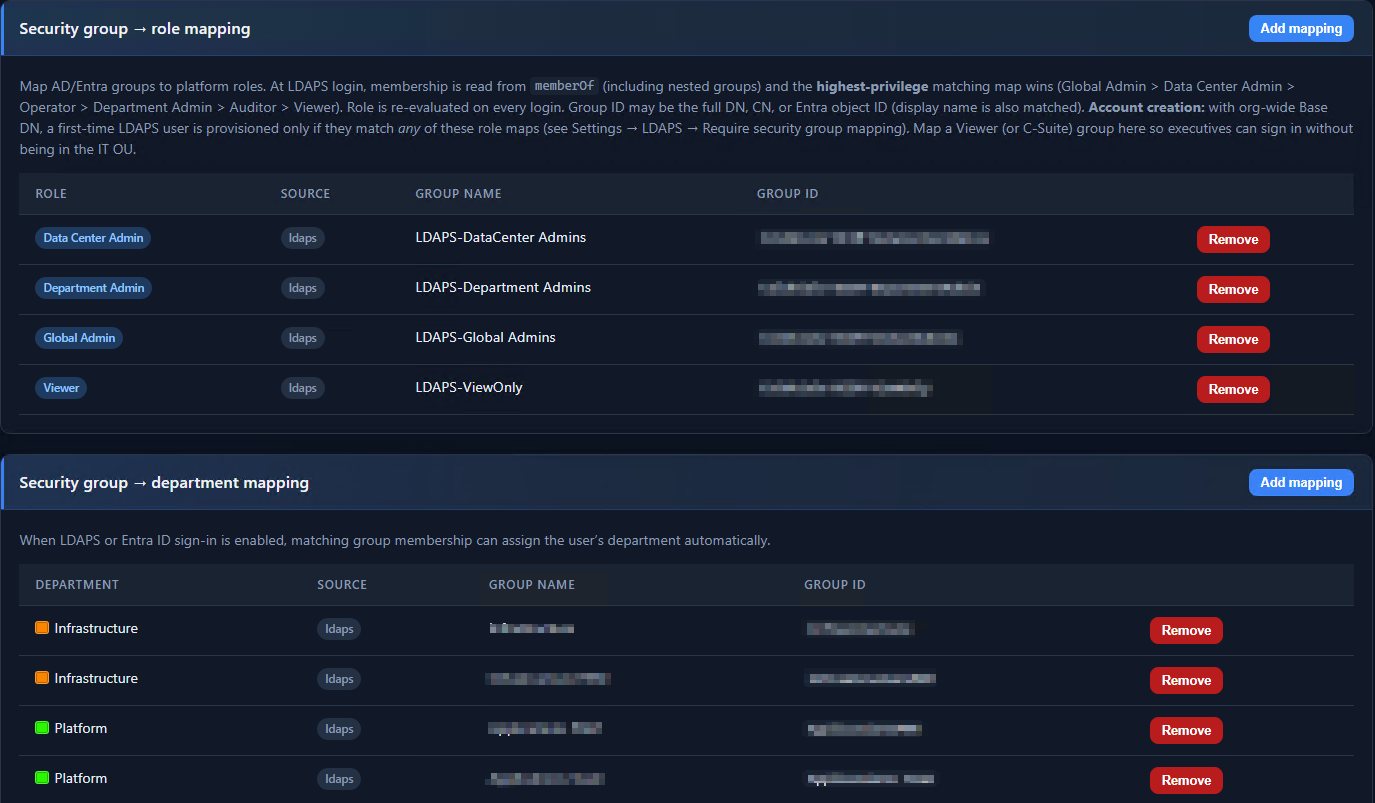
  • LDAPS to Active Directory (port 636), nested groups, security-group → role mapping.
  • Microsoft Entra ID (Azure AD) OIDC SSO with a standard app registration.
Authentication

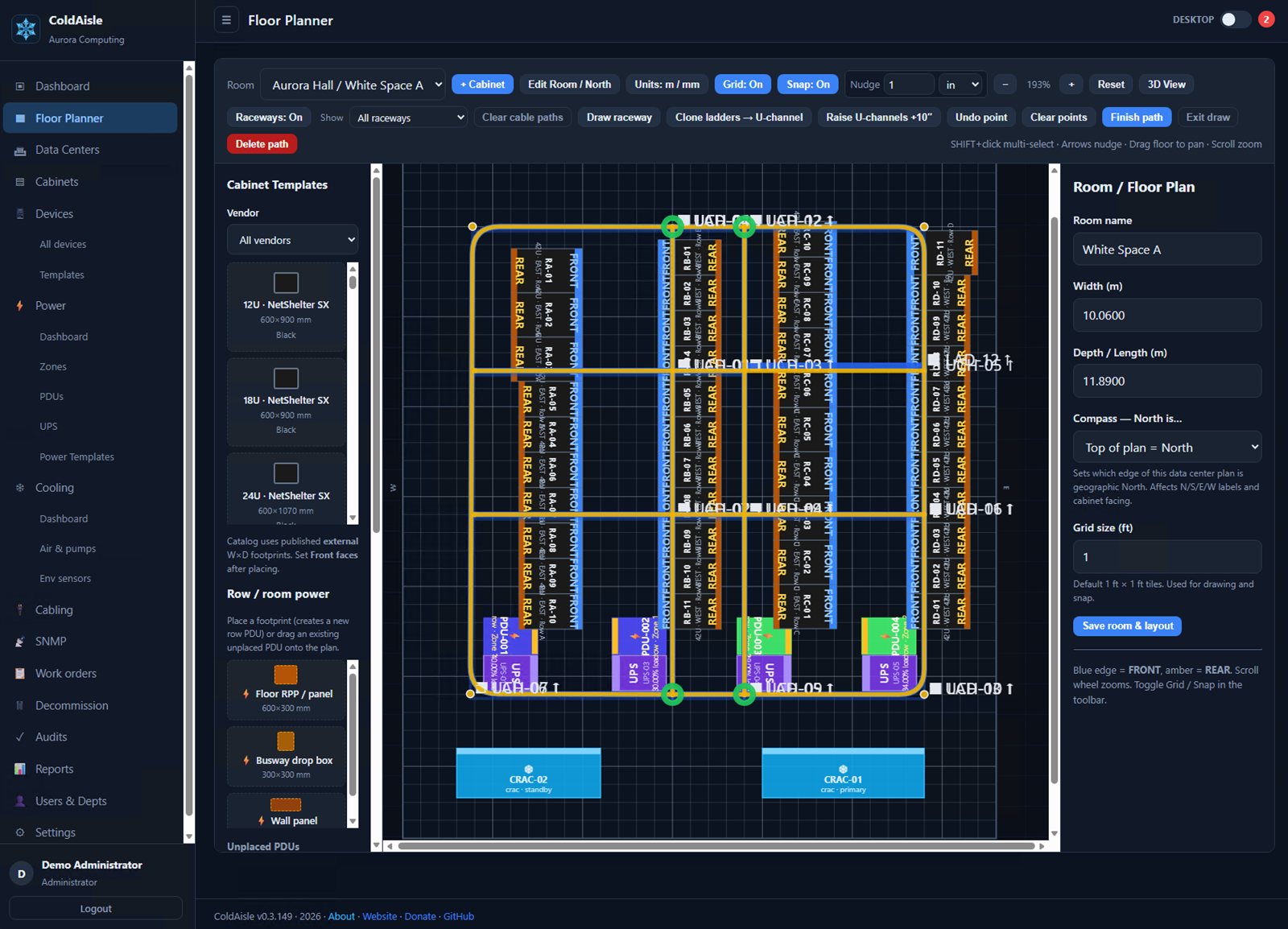
Floor planner — 2D and 3D

Rooms in meters. Cabinets and row PDUs on a canvas, then a Three.js floor.

  • Drag cabinet templates onto the room; set U-height, mm size, and rotation.
  • 2D plan plus 3D toggle on the dashboard and floor view.
  • Raceway render filter: All / Ladder / Fiber / U-channel / Trough / Conduit.

Cabinets and devices

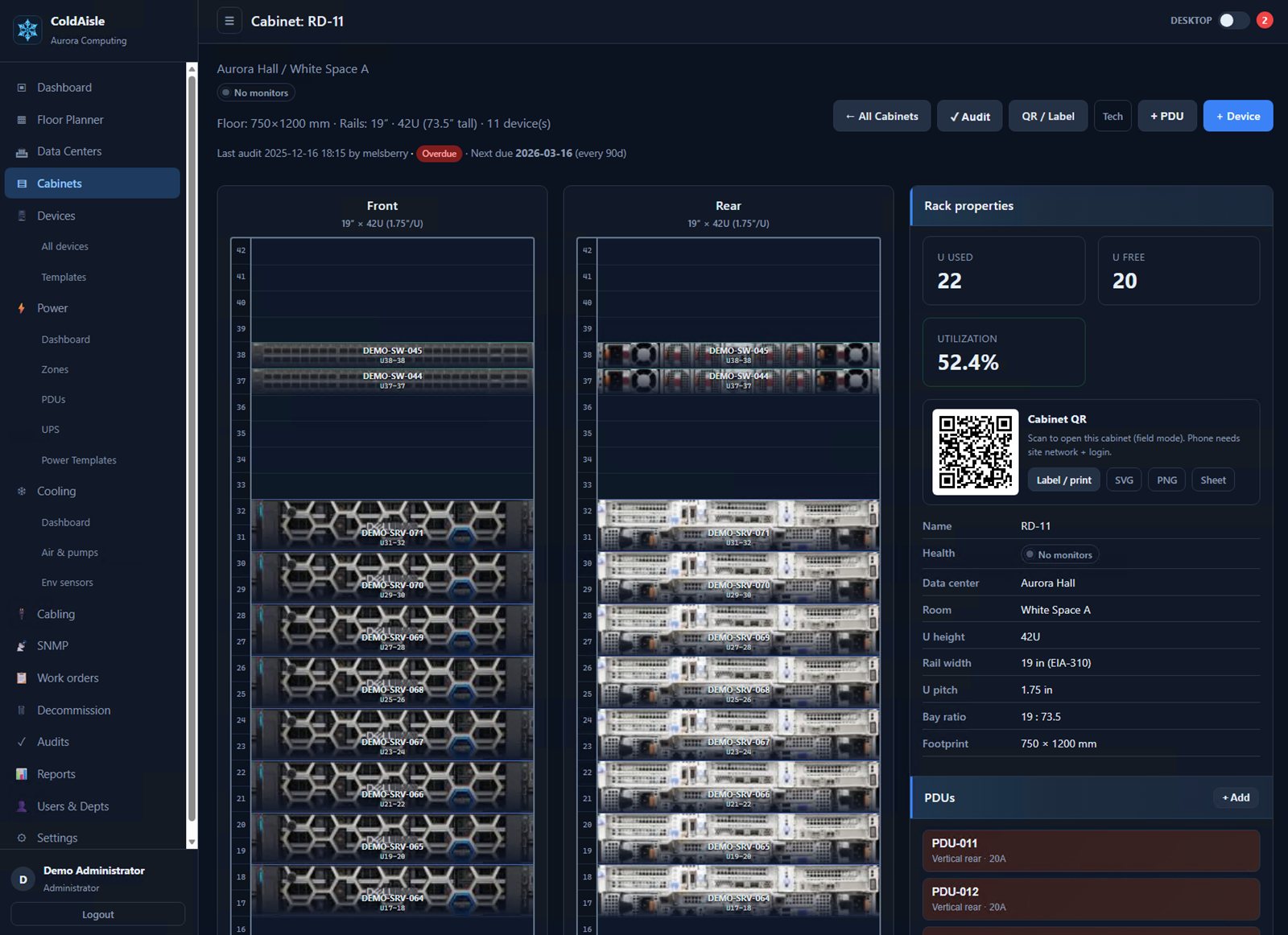
Rectangular models, rack elevation, and U-space that does not lie to you.

  • Cabinets by width/depth (mm) and U-height; rack elevation with U-mounted PDUs.
  • Click empty U-slots to add devices; conflict checks; color-coded types.
  • Interfaces and power-supply lines mapped to PDU outlets.
Cabinets and devices

Power

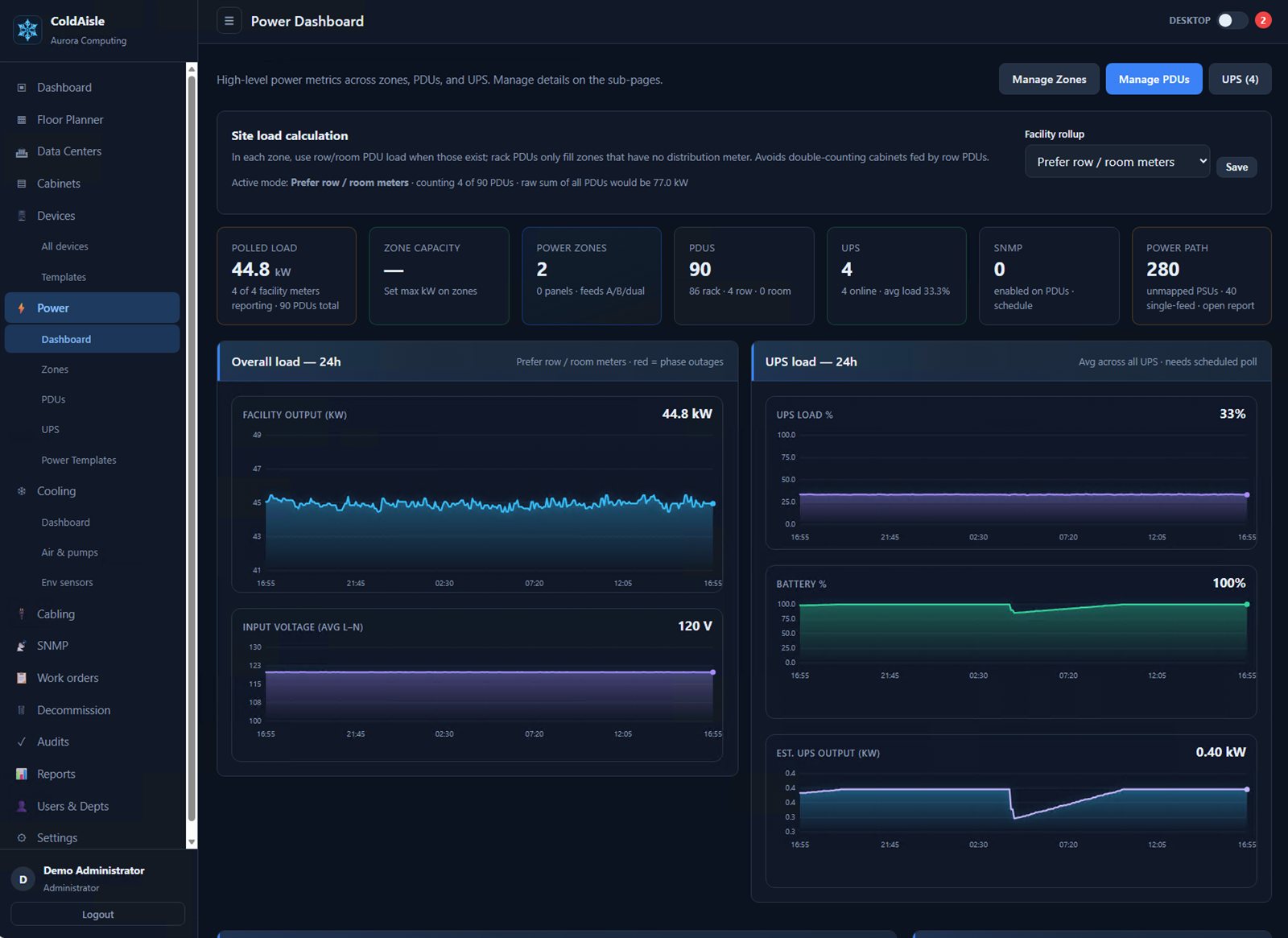
Zones, panels, PDUs, history, and alerts — not a spreadsheet of nameplates.

  • Power zones (A/B), panels, row/rack PDUs, 1/2/3 phase, outlet inventory, templates.
  • Near/overload alerts with batched email digests.
  • Short-term power history and charts; CSV and reports.
Power

Cabling and raceways

Port-to-port cables that can ride ordered, multi-hop raceways.

  • Media types, cable tray / underfloor / overhead routes.
  • Fiber U-channel (yellow PVC U-profile in 3D) above ladder with the same plan route.
  • Show cable path on the floor plan in 2D and 3D; calculate shortest path across the raceway graph.
Cabling and raceways

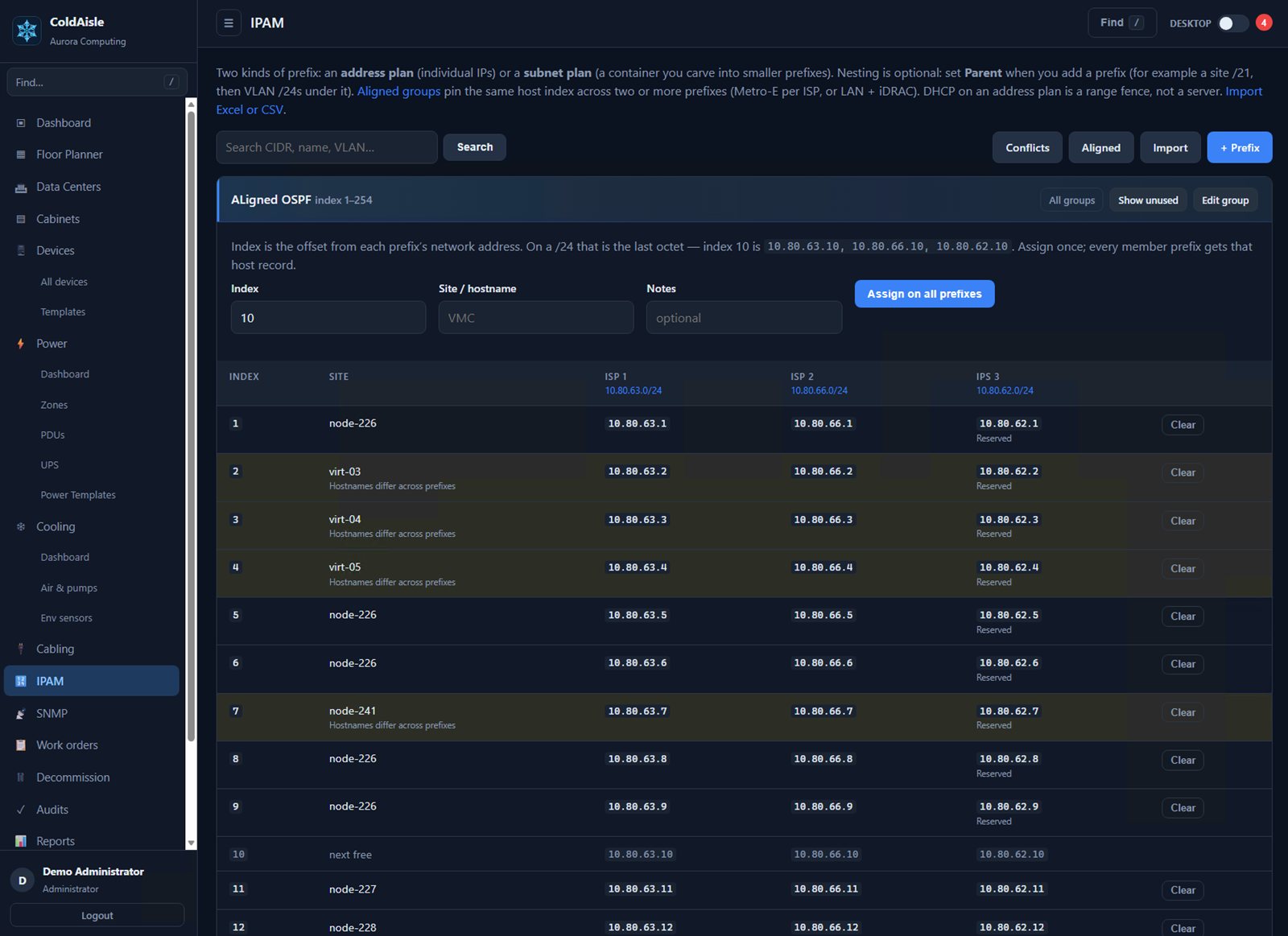
IPAM & aligned subnets

Assign one site index across every WAN prefix. Address plan and subnet plan in the same DCIM — not Infoblox, not a DHCP server.

  • Address plan: a CIDR plus host records (assigned, reserved, DHCP-fence, deprecated). Empty IPs are not stored; next free and utilization are computed.
  • Subnet plan: a container (site /16 or /21) with no host list. Set Parent to nest. Opening a container shows children, leftover holes, and next-free /n so you can carve a VLAN inside a block.
  • Aligned groups: add two or more prefixes. Index is the offset from each network address — on a /24, the last octet. Name index 10 once and every member prefix gets that host record.
  • Multi-homed WAN: 10.10.0.0/24, 10.10.1.0/24, 10.10.2.0/24 at index 10 → .10 on each prefix. Same trick for LAN + iDRAC/ILO.
  • Excel or CSV import (map each worksheet to Address plan, Subnet plan, or Skip). Live prefix search. Link inventory IPs; Conflicts lists equipment addresses not in any prefix.
  • Viewer looks, Data Center Admin / Global Admin edit. Nesting is manual — import does not invent the tree. No IPv6, DNS, or DHCP server.
IPAM & aligned subnets

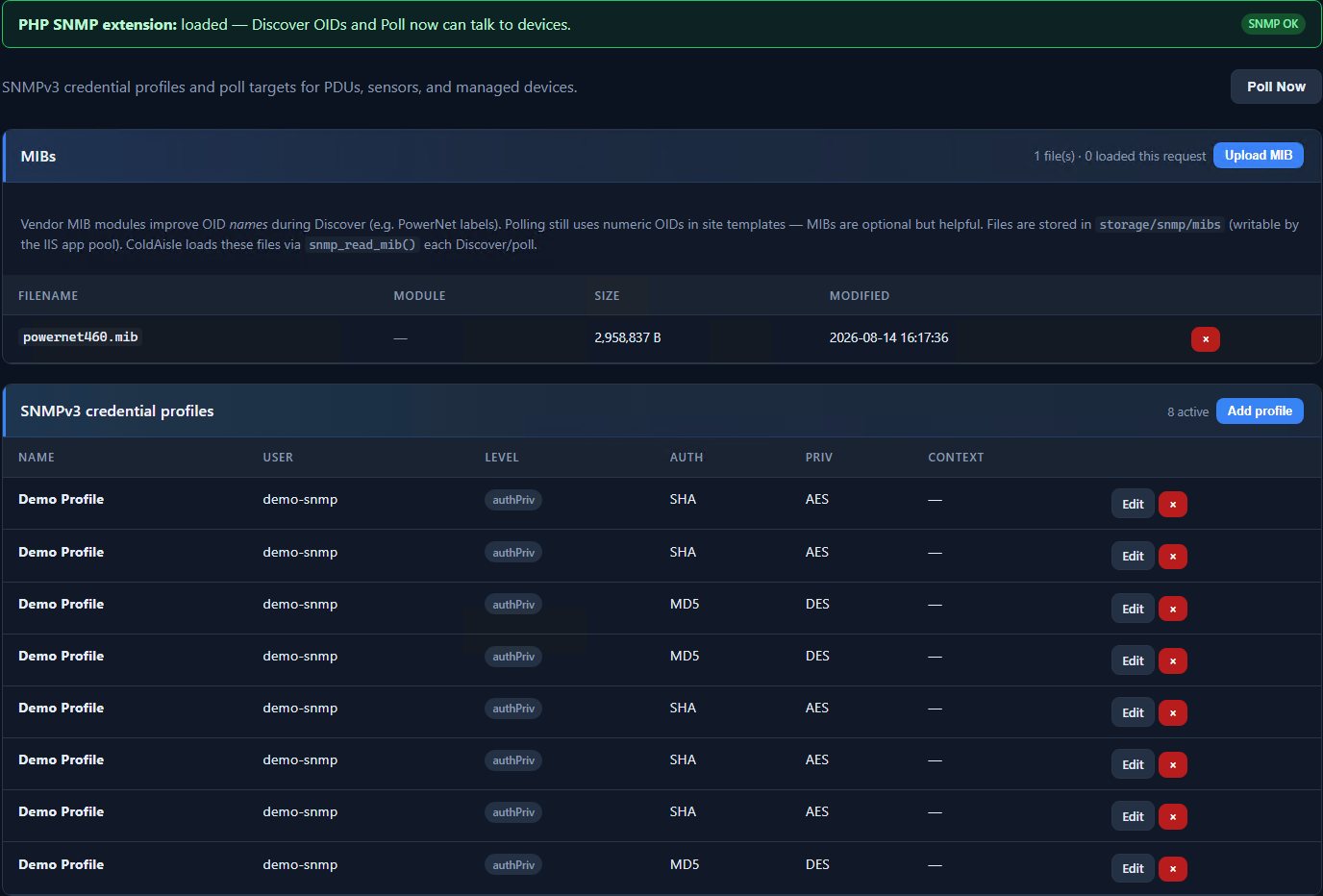
SNMP

Discover, templates, and a scheduled poll worker that does not hang Windows MIB init.

  • SNMPv2c/v3; secrets encrypted at rest with app_key.
  • MIB upload, Discover, site OID templates, phase and outlet telemetry.
  • Windows Task Scheduler worker via run_poll_snmp.cmd — the web UI never elevates.
SNMP

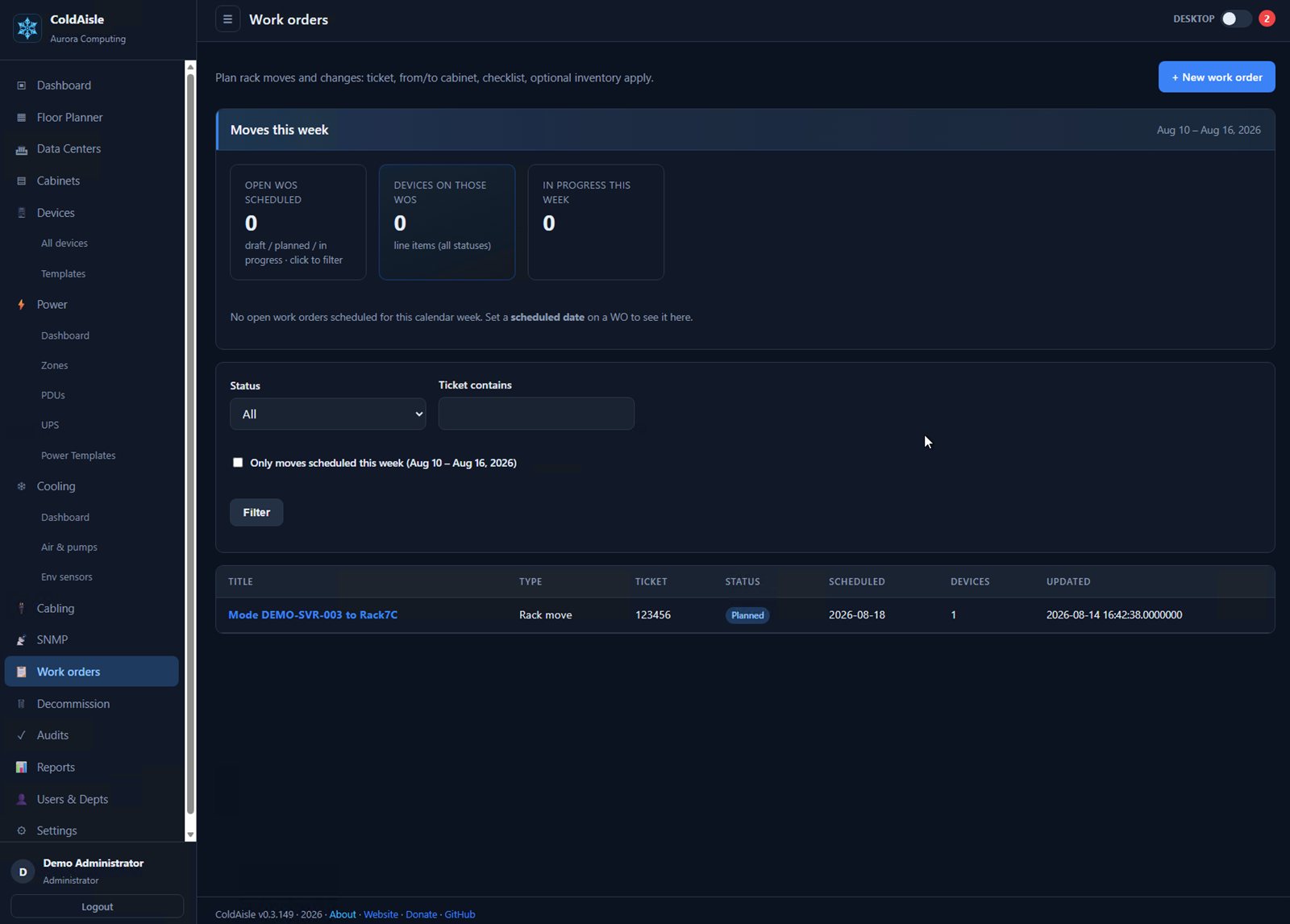
Work orders

Field work with checklists that include cable pathways.

  • Work-order workflow alongside inventory — not a sticky note in the ticket system.
  • Cable pathways card can calculate and document raceway hops.
Work orders

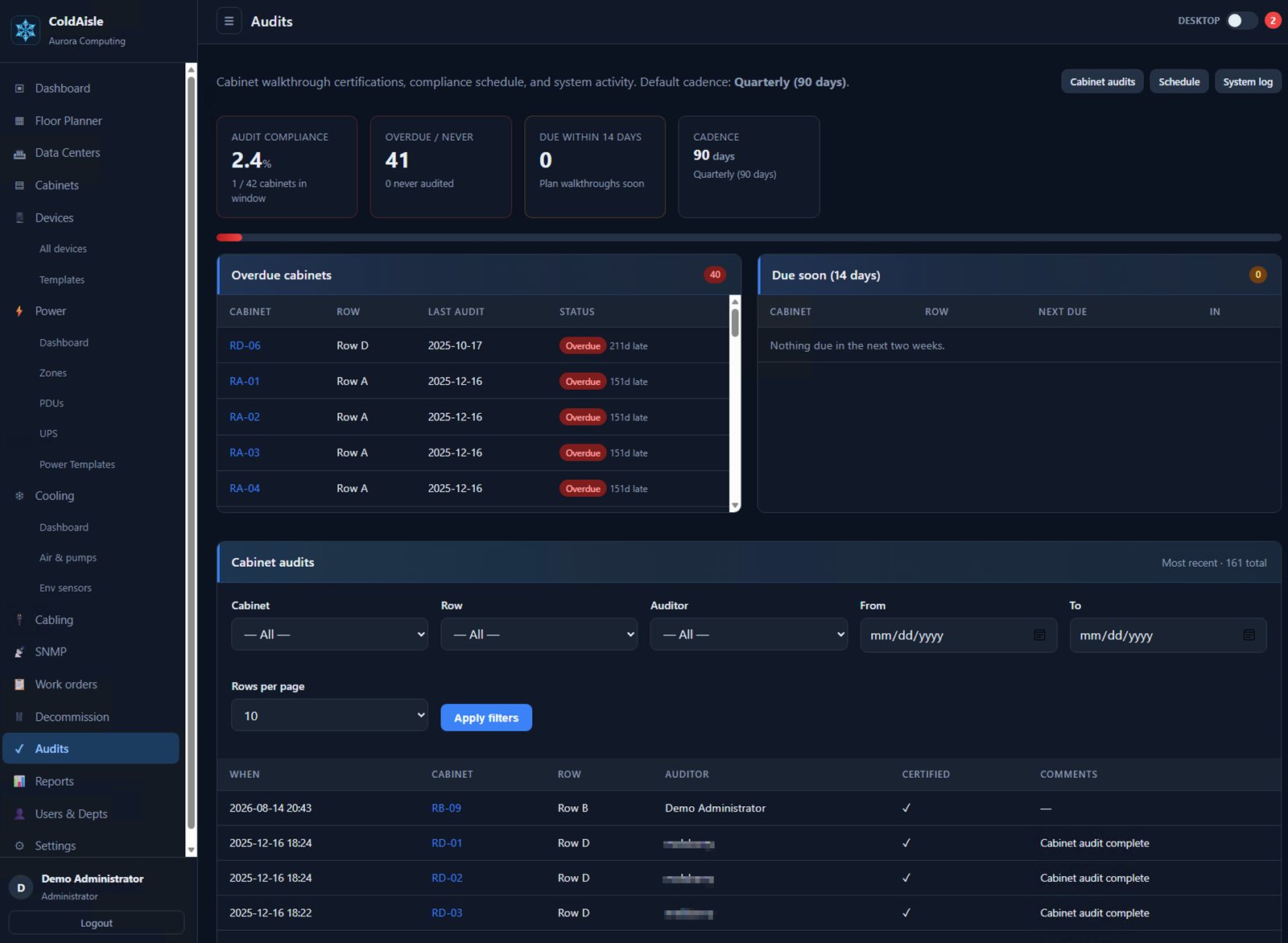
Audits and lifecycle

Physical audit jobs, a system audit trail, and disposal with notifications.

  • Physical cabinet audit jobs plus a system audit trail.
  • Disposal workflow when gear leaves the floor.
Audits and lifecycle

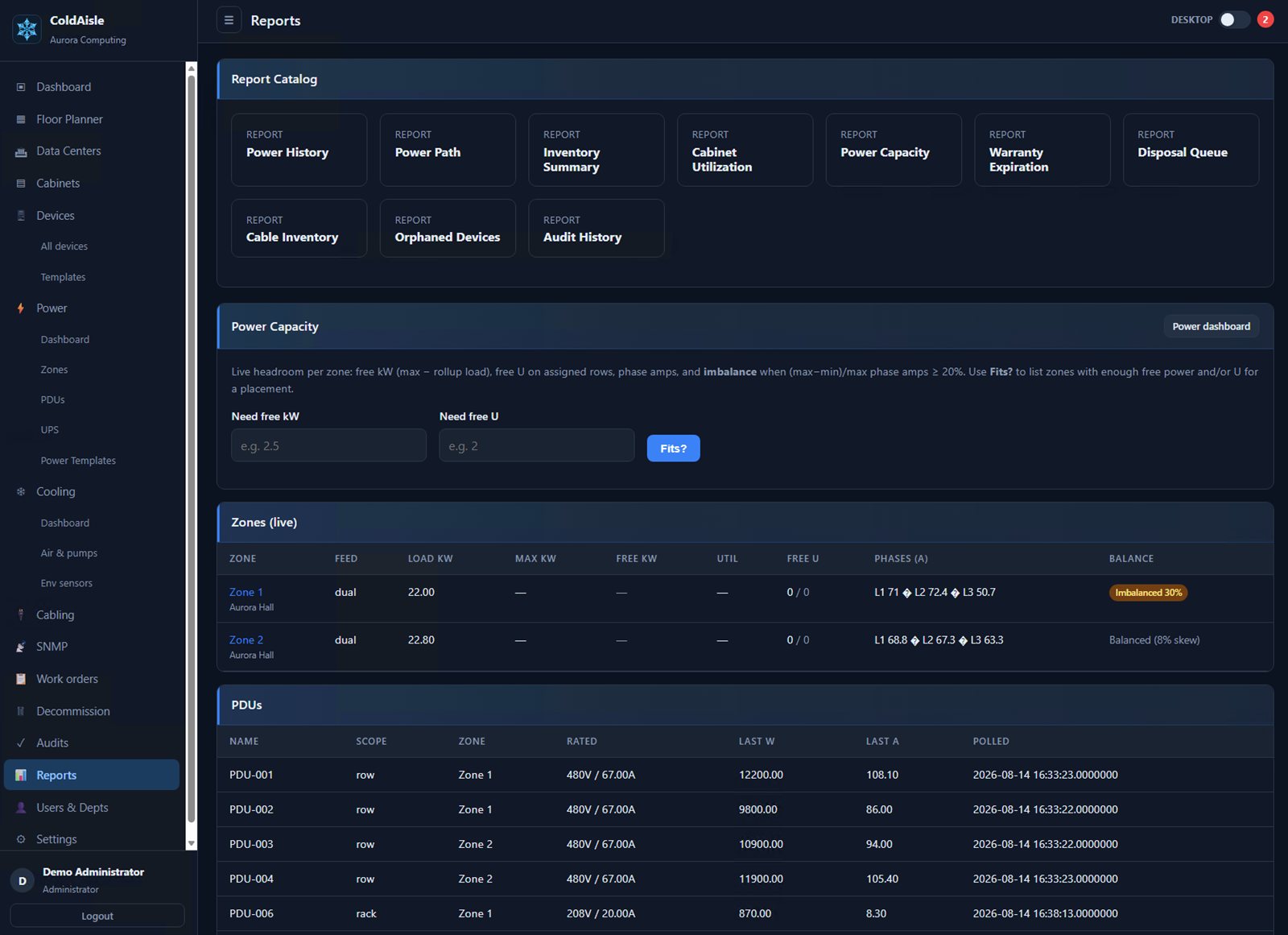
Reports

Inventory, utilization, power, warranty, cables, orphans, audits.

  • Operational reports without exporting to a second tool first.
  • CSV where you need it for power history and inventories.
Reports

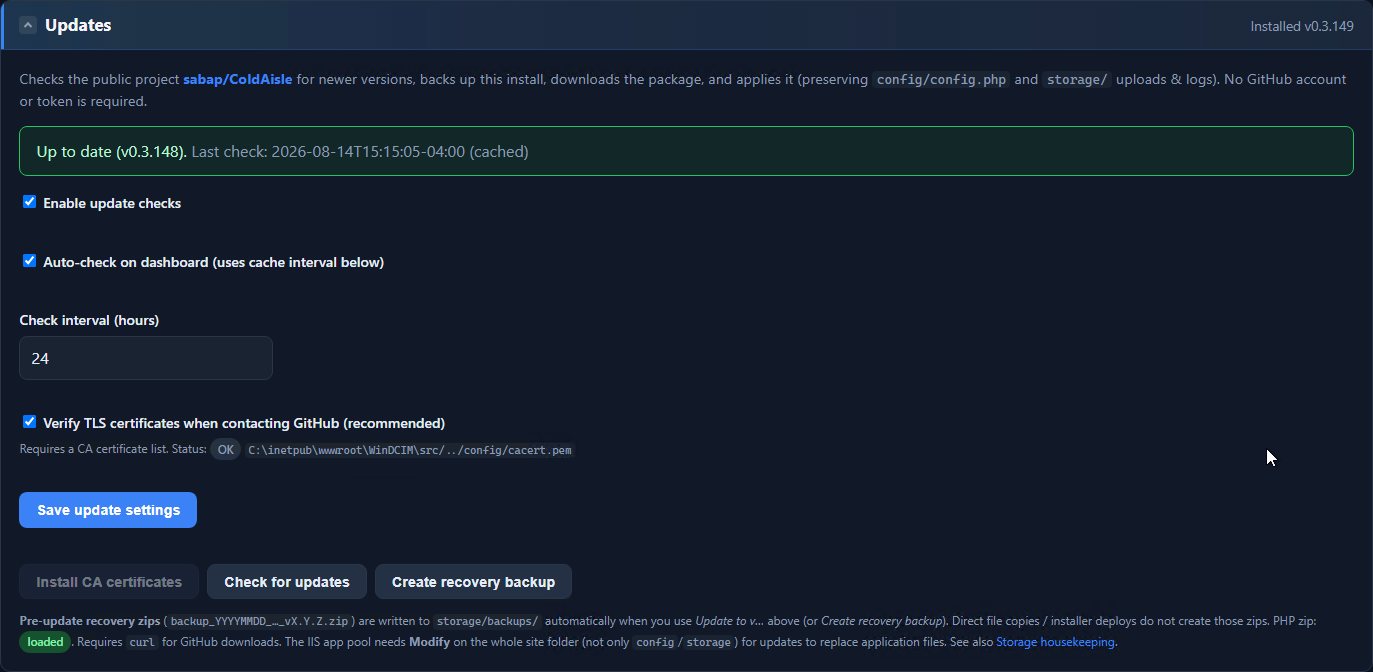
Updates and backup

One-click GitHub update. Site export/restore for migration.

  • Settings → Updates checks public tags — no GitHub token required for the public repo.
  • Pre-update recovery zip under storage/backups; config and storage preserved.
  • Site backup package for a new install’s Restore from backup path.
Updates and backup

RBAC

Administrator, Operator, Auditor, Viewer.

  • Map AD security groups to roles; first login provisions only when mapped (recommended).
  • Default role for new AD users is Viewer unless you change it.
RBAC

Cooling and airflow

Cooling that belongs on the floor plan — not in a separate BMS silo. Same hall, same 3D view, same NOC wall as power and cabinets.

  • Inventory CRAC/CRAH, in-row coolers, chillers, pumps, CDUs, and make-up air. Place them with real footprints, facing, and height. Start with one active/standby pair — no cooling “zones” required first.
  • Mark primary and standby, or let SNMPv3 say which Liebert/Vertiv unit is actually On. 3D shows a green LED and “active” on the running box; amber and translucent on standby.
  • Sensors in cold aisle, hot aisle, intake, or exhaust color heat spheres and feed the airflow model. Ceiling supplies and returns drive particle streams from vent to cabinet front, through the rack, and out the rear.
  • When air units are polling, particles pick up a temperature rainbow: blue at supply, green in the cold aisle, yellow toward the hot aisle, red at return. Until hot-aisle probes exist, that stretch is interpolated so the story of the air is still visible.
  • SNMPv3 the way a Unity card expects it — per-unit Engine ID, site OID maps, Discover that asks for thermal leaves. Liebert DS pulls supply/return, humidity, setpoints, fan and free-cool capacity, compressor hours. Site units (°C or °F). Empty “not equipped” sensors stay off the board.
  • NOC cooling pane for a wall: live supply/return, aisle averages, which machines are active, 24-hour chart, ASHRAE recommended bands on the unit.

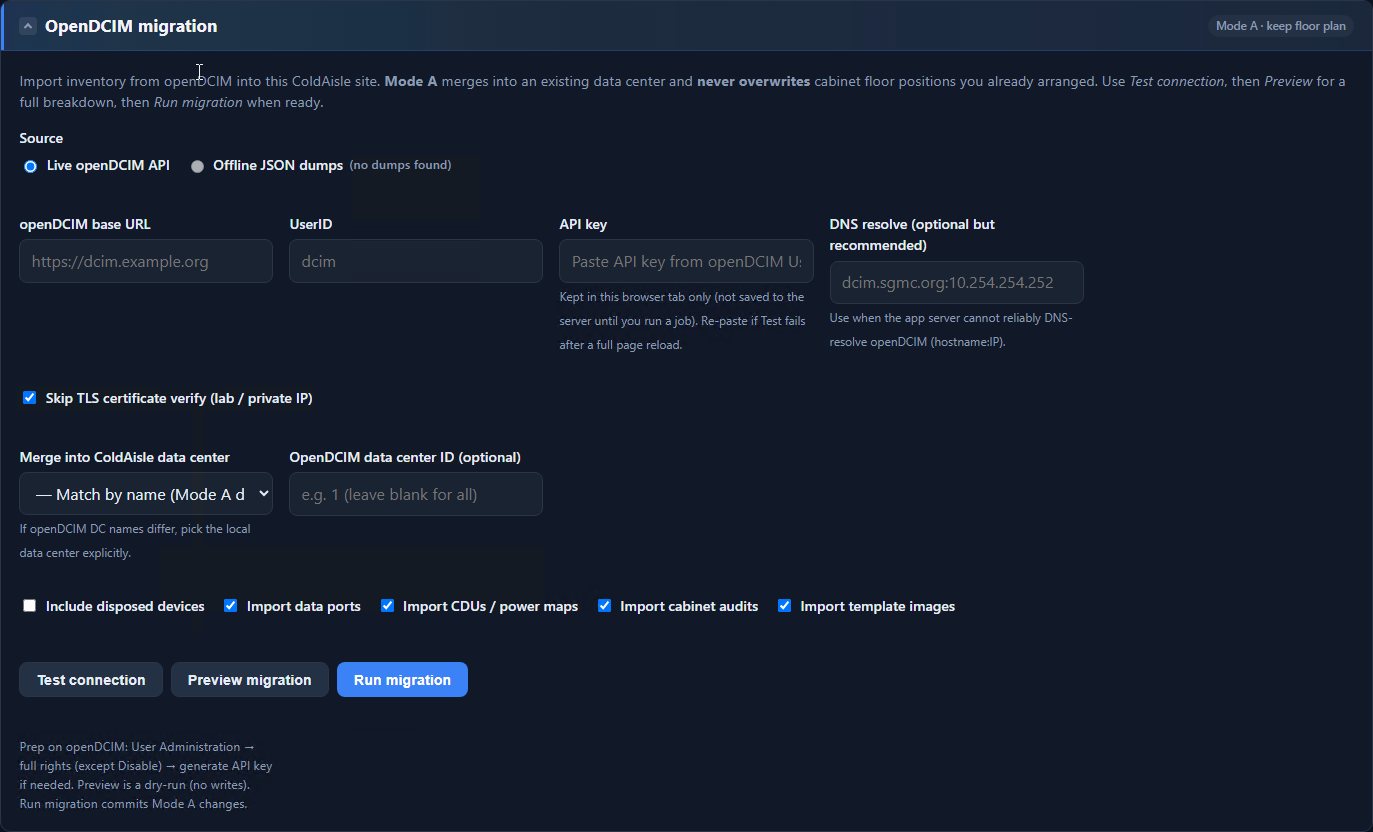
Full openDCIM migration

Bring an existing openDCIM site over — test, preview, then commit.

  • Live openDCIM API, or offline JSON dumps when the source is not reachable.
  • Mode A merges into a ColdAisle data center and never overwrites cabinet floor positions you already arranged.
  • Dry-run Preview before Run. Optional: data ports, CDUs / power maps, cabinet audits, template images, disposed devices.
Full openDCIM migration

NOC wall

A 1080p TV layout: 3D stage, metrics, and a 2×3 alert grid.

  • Object labels, raceways, auto-rotate, tilt/zoom, panel slide timer.
  • Live / stale footer so a frozen TV is obvious from across the room.
  • Cleared alerts show a recovered state instead of vanishing.

Install it on your Windows box

PowerShell installer, then setup.php, then a short wizard and a live-UI tour. The marketing site is not the application.

Get started