Latest v1.0.1 · Sep 8, 2026

On-prem DCIM for the whole floor

ColdAisle is modern DCIM for the whole floor — cabinets, 3D racks, power, cooling, cabling raceways, SNMP, work orders, and IPAM with aligned indexes for multi-homed WAN. The application runs on Windows (IIS + PHP + SQL Server), with local / LDAPS / Entra ID auth and one-click updates from GitHub.

Get on GitHub View releases Features

Free and open source (MIT). Self-hosted on your servers — your inventory never leaves your facility. This site does not host the app.

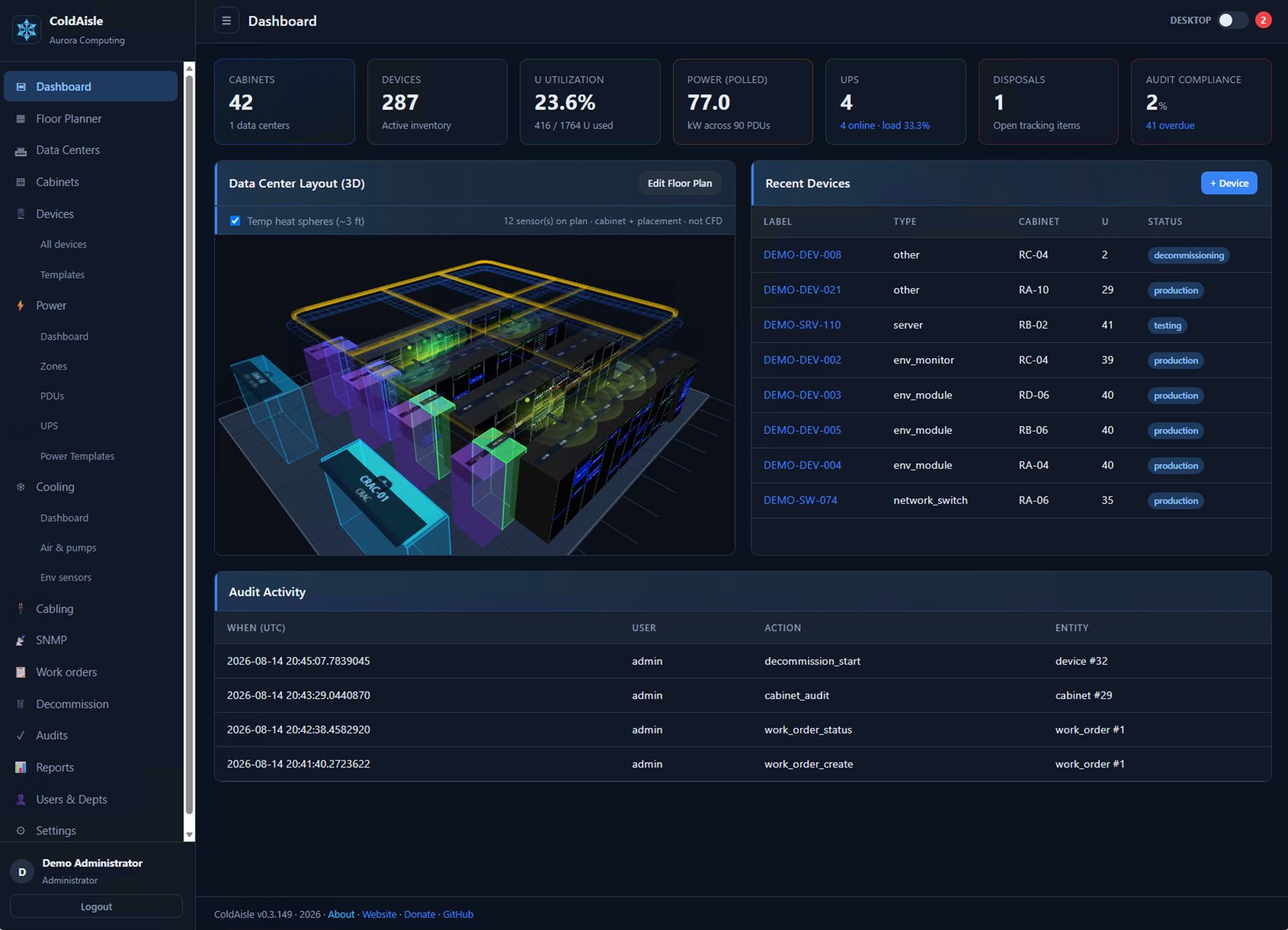
ColdAisle dashboard with 3D data center layout and capacity metrics

From install to first rack

The product teaches the floor — not a 40-page manual

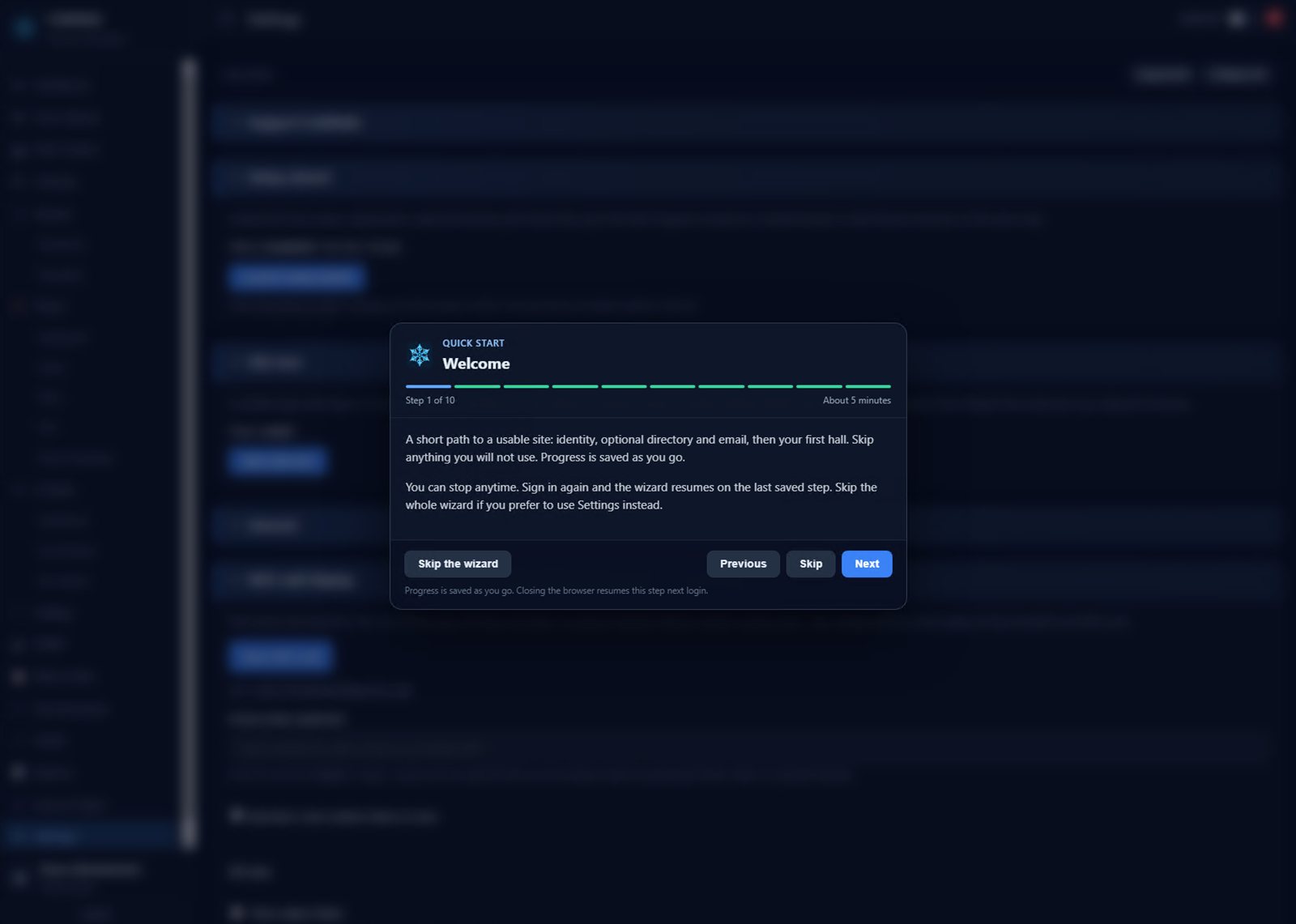
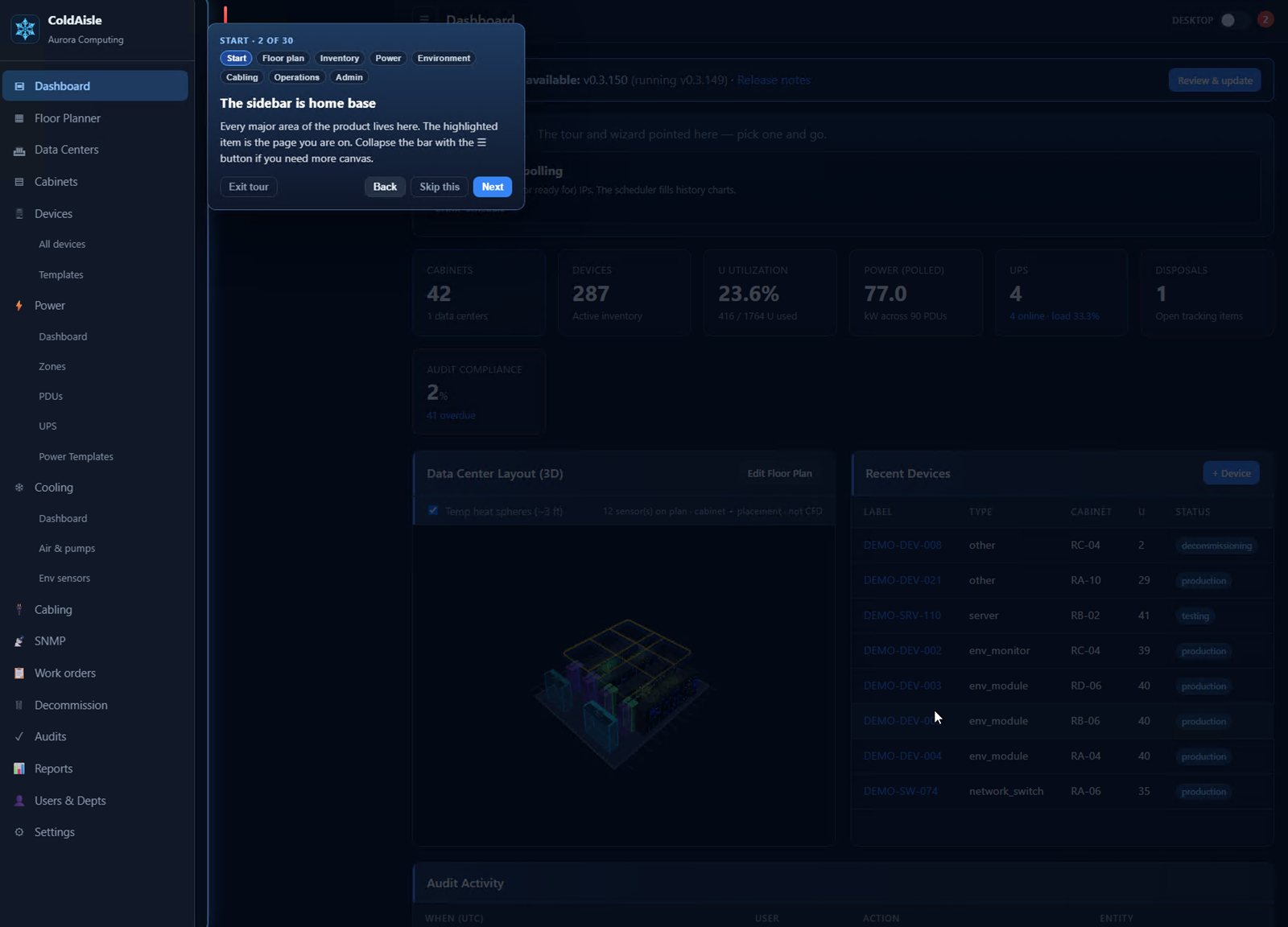
After setup.php creates the database and the first admin, ColdAisle does not drop you on an empty dashboard. A short setup wizard gets the hall and optional services in place. A site tour then points at the live UI — sidebar, floor planner, power, cabling, SNMP — with flags you can exit or restart anytime.

Wizard and tour Get started

DCIM is useless until someone knows where to click. ColdAisle puts the wizard and the tour on the real floor — then gets out of the way.

NOC wall

The hall on a TV

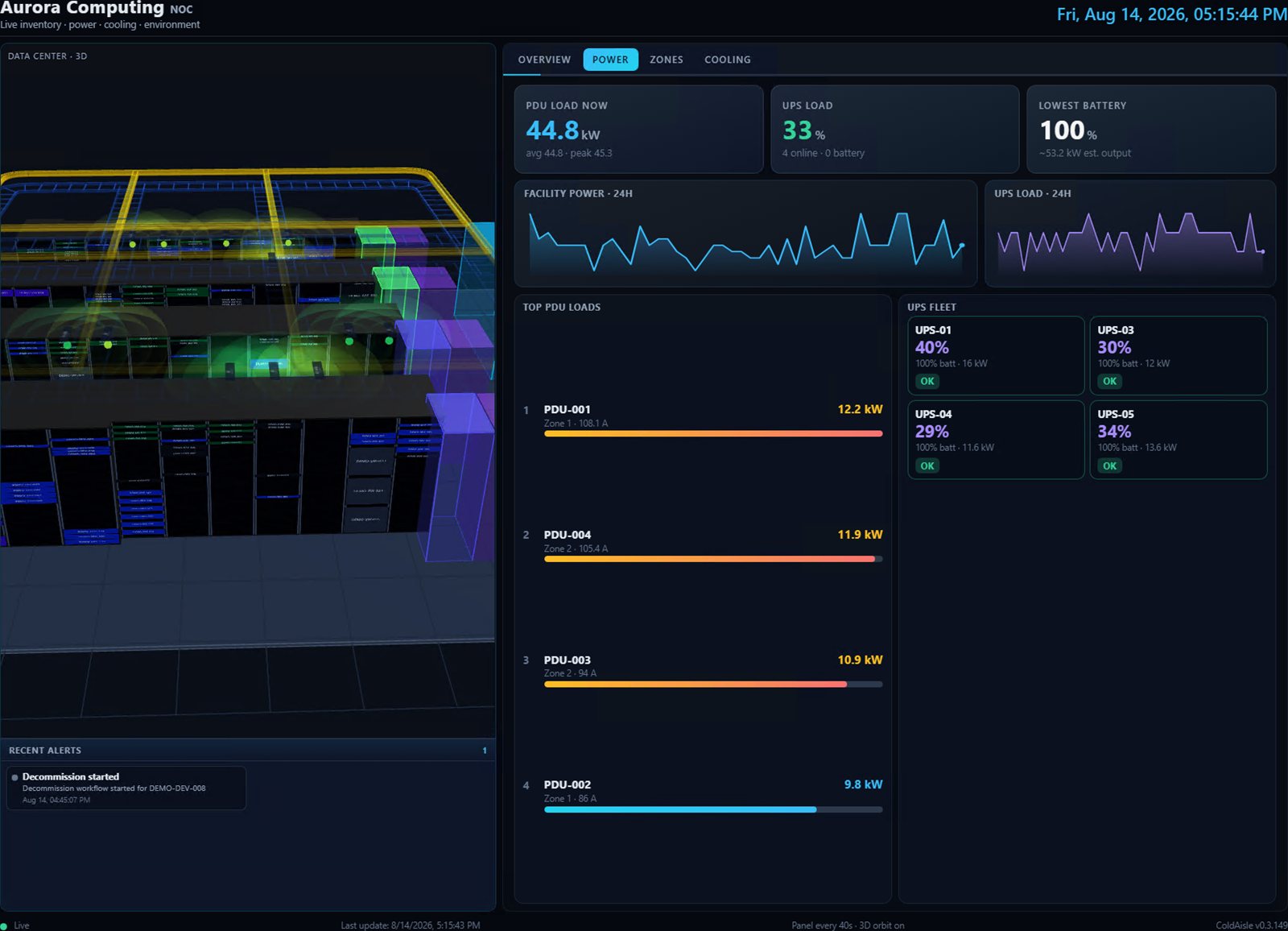
1080p layout: 3D stage, live PDU/UPS tiles, and a 2×3 alert grid. Auto-rotate, raceways, live/stale footer so a frozen screen is obvious from across the room.

NOC features

NOC wall Live 3D floor, power tiles, alerts.

3D hall

Walk the cold aisle in the browser

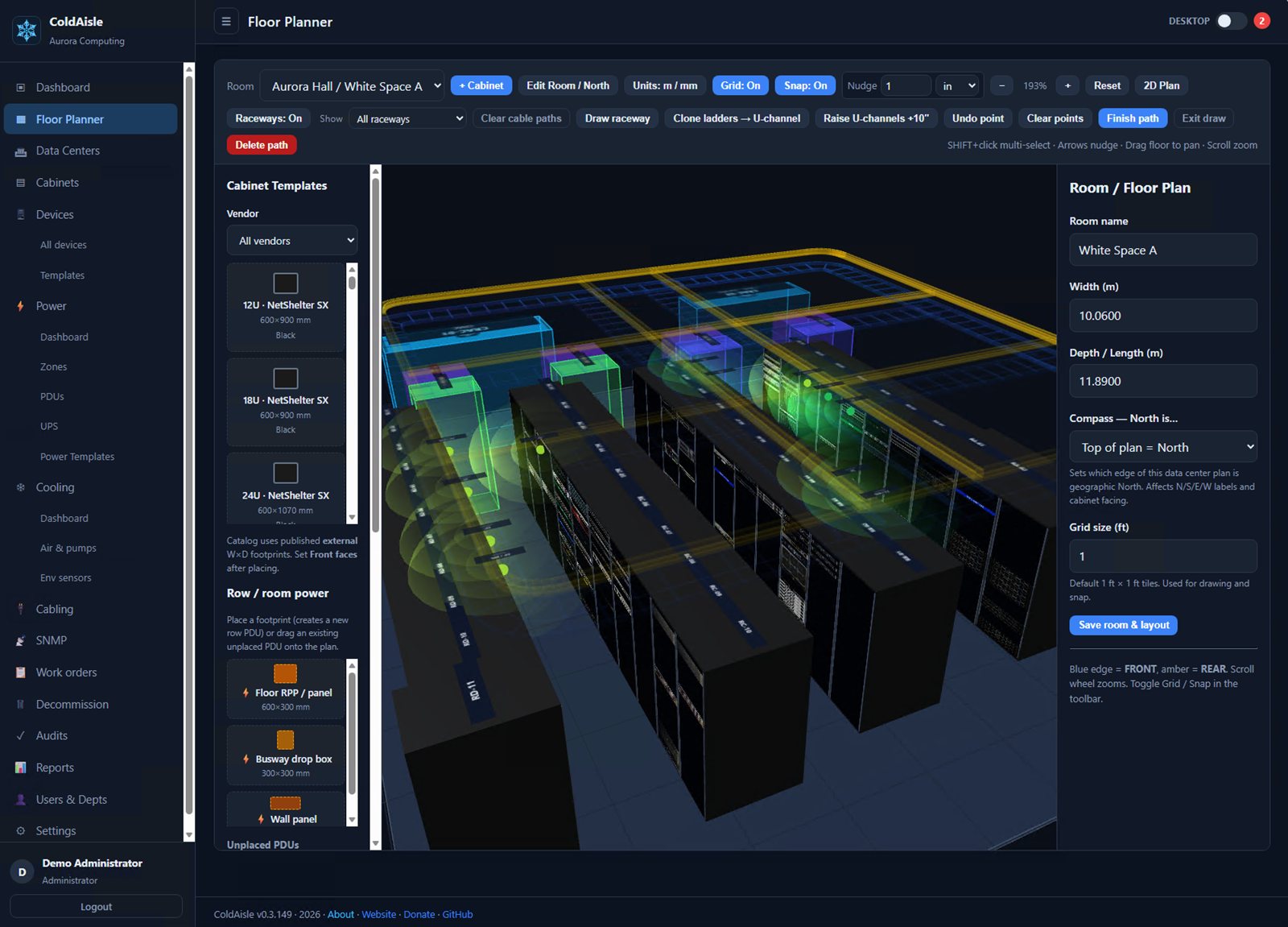
Same floor plan as the 2D canvas, in Three.js: cabinets, yellow fiber U-channel, ladder, CRAC, and sensor spheres. Orbit the room before you walk it.

Floor planner

3D walkthrough Orbit the hall — racks, raceways, and heat spheres.

Cooling

Air on the floor plan — not a BMS silo

CRAC and CRAH as first-class infrastructure: footprints, facing, active vs standby. Particle streams from supply to the cabinet front, through the rack, and out to return. When units are polling, the path is a temperature rainbow. Same 3D hall and NOC wall as power.

Cooling features

Airflow Particles from supply through the rack to return. Rainbow when SNMP is live.

On-premise by design

Your datacenter map does not belong in someone else’s cloud

Cabinet layouts, power paths, SNMP credentials, and who sits in which U are operational secrets. ColdAisle is built for a self-contained install you run — not a multi-tenant SaaS that holds your floor on another company’s servers.

Possession Your servers, your database

IIS + SQL Server in your rack or your VM. Backups, auth, and SNMP secrets stay inside your perimeter.

Transparency Open source on purpose

MIT, public GitHub. You can read what the code does with your data. No black-box appliance, no “trust our cloud.”

Built in the trenches By a working infrastructure admin

Written by a network infrastructure administrator who runs floors for a living — not a generic SaaS backlog.

Why on-prem, not a DCIM cloud →

Coming from openDCIM?

Full migration — preview, then run

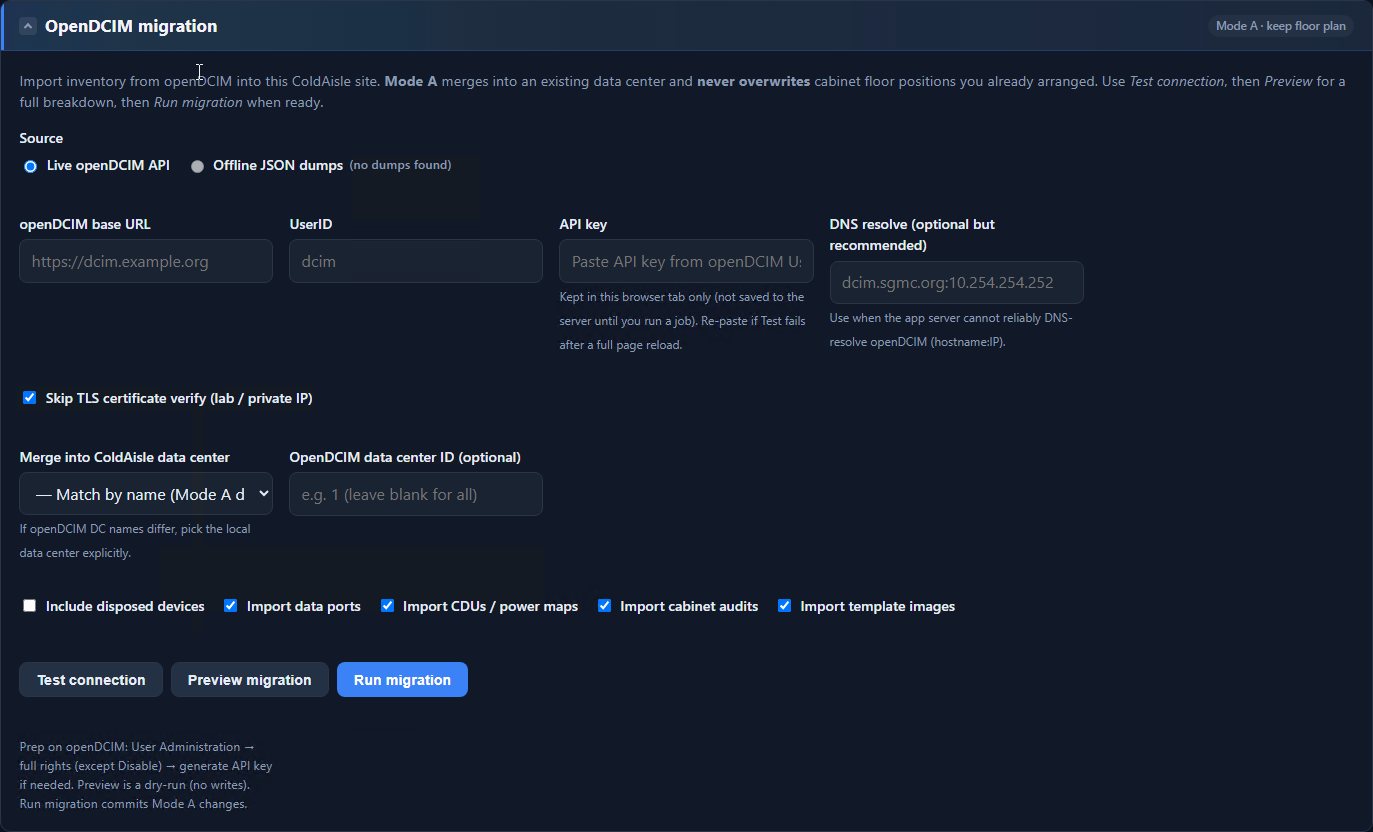
Import a live openDCIM API (or offline JSON dumps) into ColdAisle. Mode A merges into the data center you already laid out and never overwrites cabinet floor positions. Test connection, preview a dry-run, then run: data ports, CDUs / power maps, cabinet audits, and template images come across with the inventory.

How migration works

ColdAisle openDCIM migration: live API, preview, and run

IPAM

Assign one site index across every WAN prefix

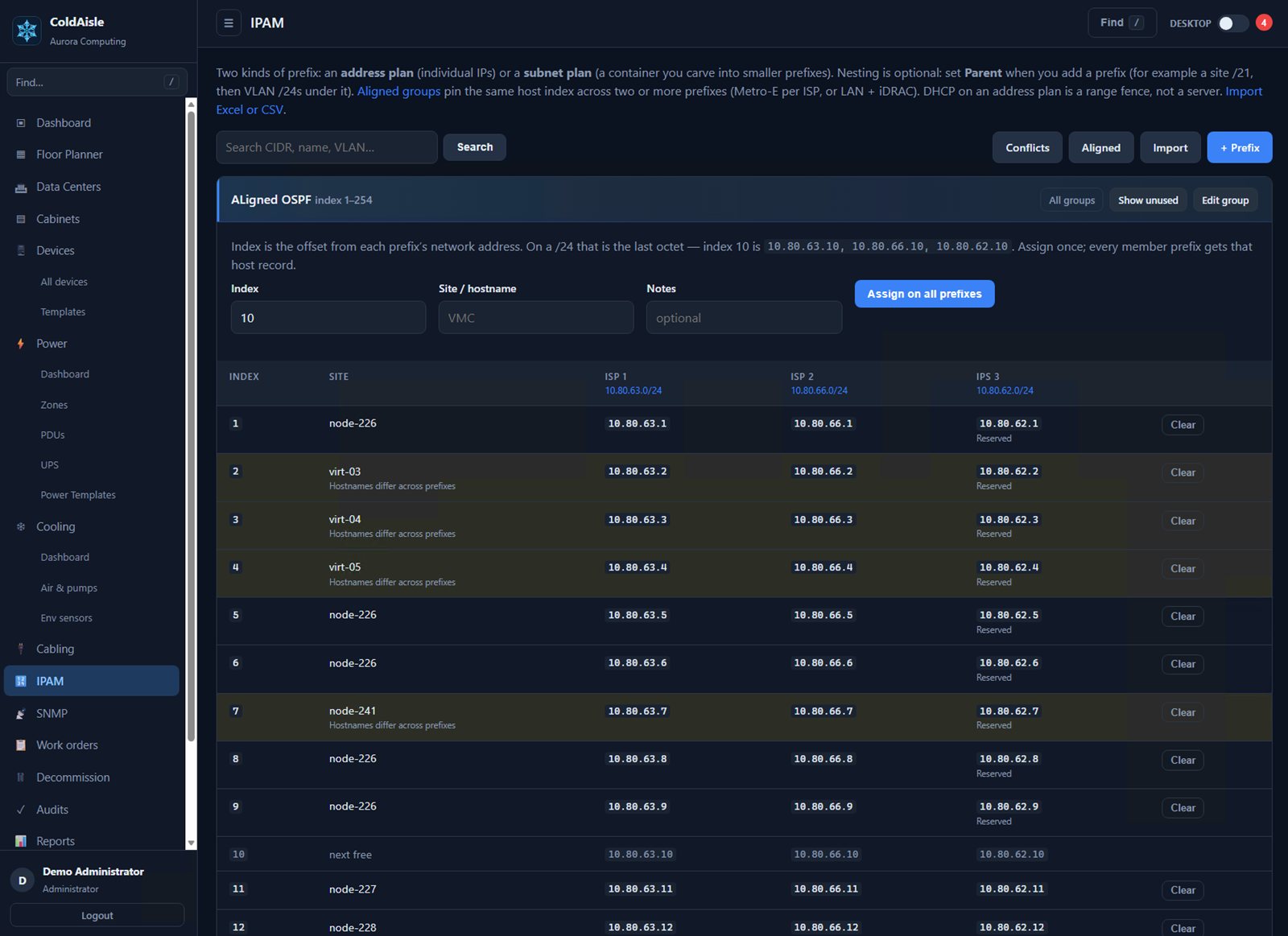
Address plan and subnet plan in the same DCIM — not Infoblox, not a DHCP server. Put two or more prefixes in an aligned group. Name index 10 once and every member gets that host: 10.10.0.10, 10.10.1.10, 10.10.2.10. Multi-homed WAN and LAN + iDRAC stay obvious.

How IPAM works

ColdAisle IPAM aligned groups: one index, three prefixes

The app runs on Windows. The job is the whole datacenter.

Linux, network, and mixed floors are the point. You host ColdAisle on IIS + SQL Server — you do not have to run a Windows-only site.

Host IIS + PHP + SQL Server

The application stack. Express is fine. A browser wizard creates the database, schema, and first admin.

Scope The entire floor

Racks, power, cooling, raceways, IPAM, SNMP, work orders, audits — not just Windows servers in the cabinets.

Auth Local · LDAPS · Entra ID

Active Directory nested groups and Microsoft Entra OIDC SSO alongside local accounts.

What operators actually use

From zero to a usable hall

PowerShell installer, then a browser wizard for SQL and the first admin. After you sign in, a guided setup walks org, optional directory and mail, and the hall dimensions. A flag tour on the live UI shows where cabinets, power, and raceways actually live. Self-hosted. MIT. Updates from GitHub.

Floor + 3D

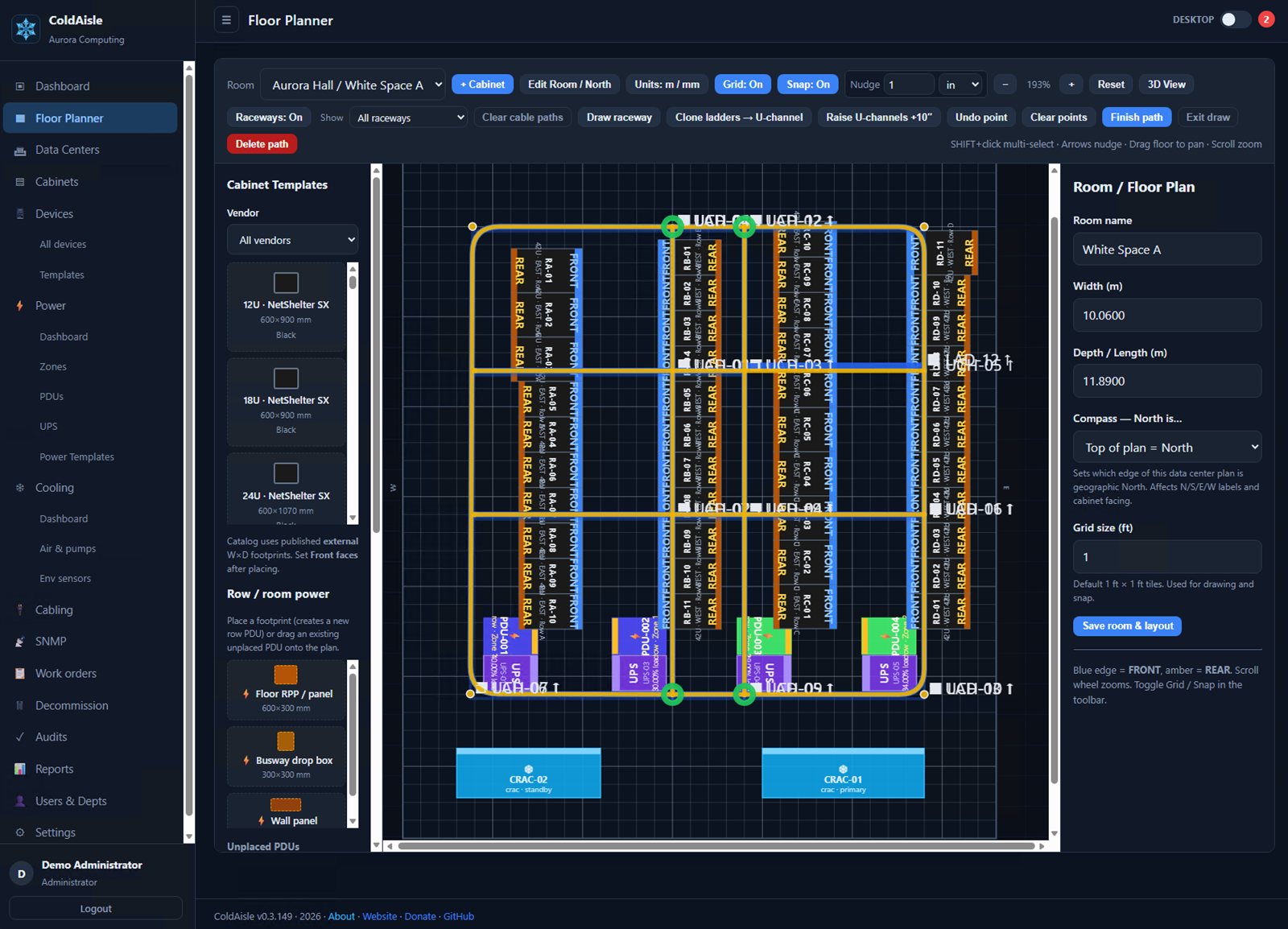
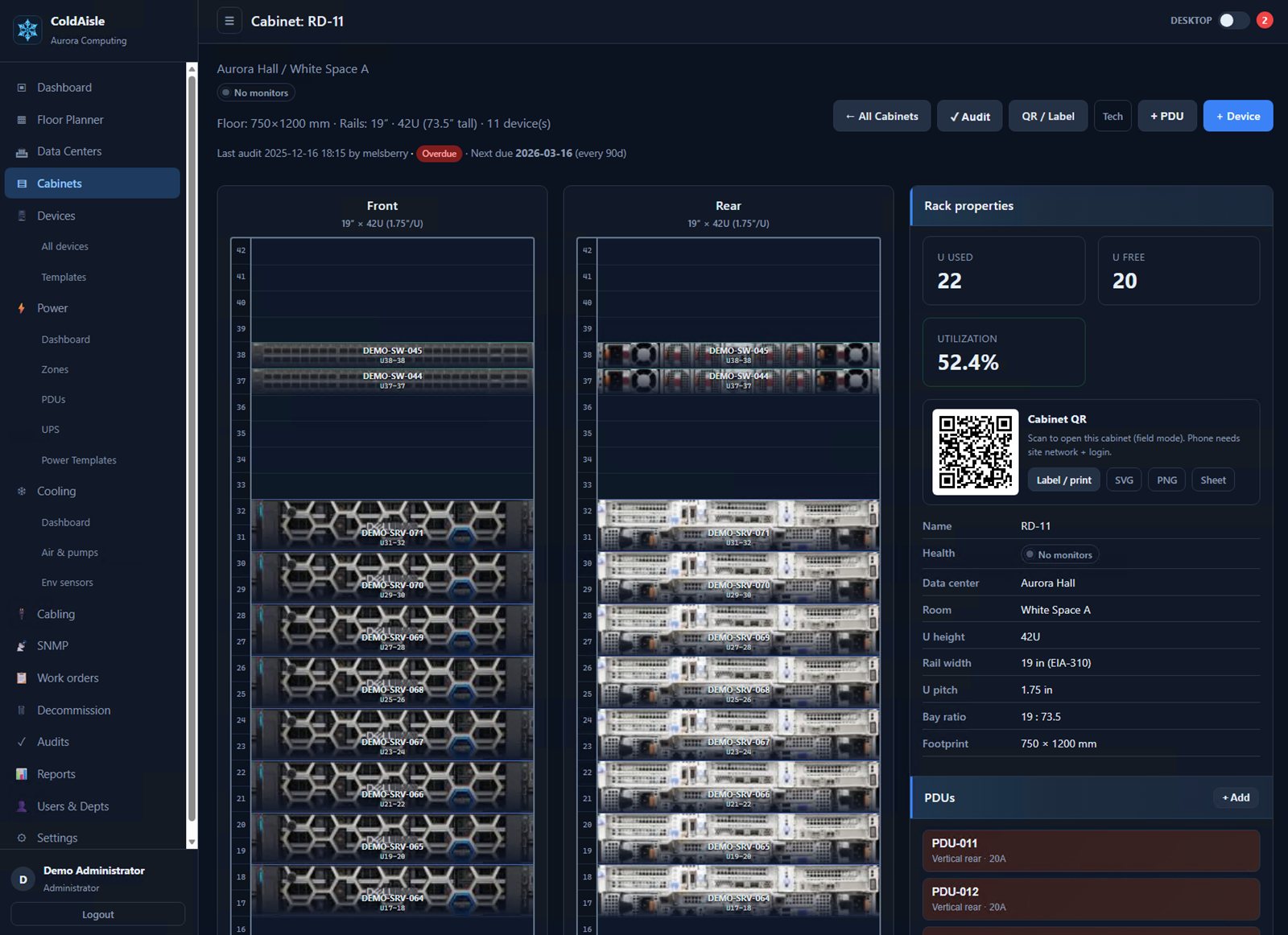
Drag-and-drop cabinets and row PDUs. Toggle 2D plan and interactive Three.js racks.

Power

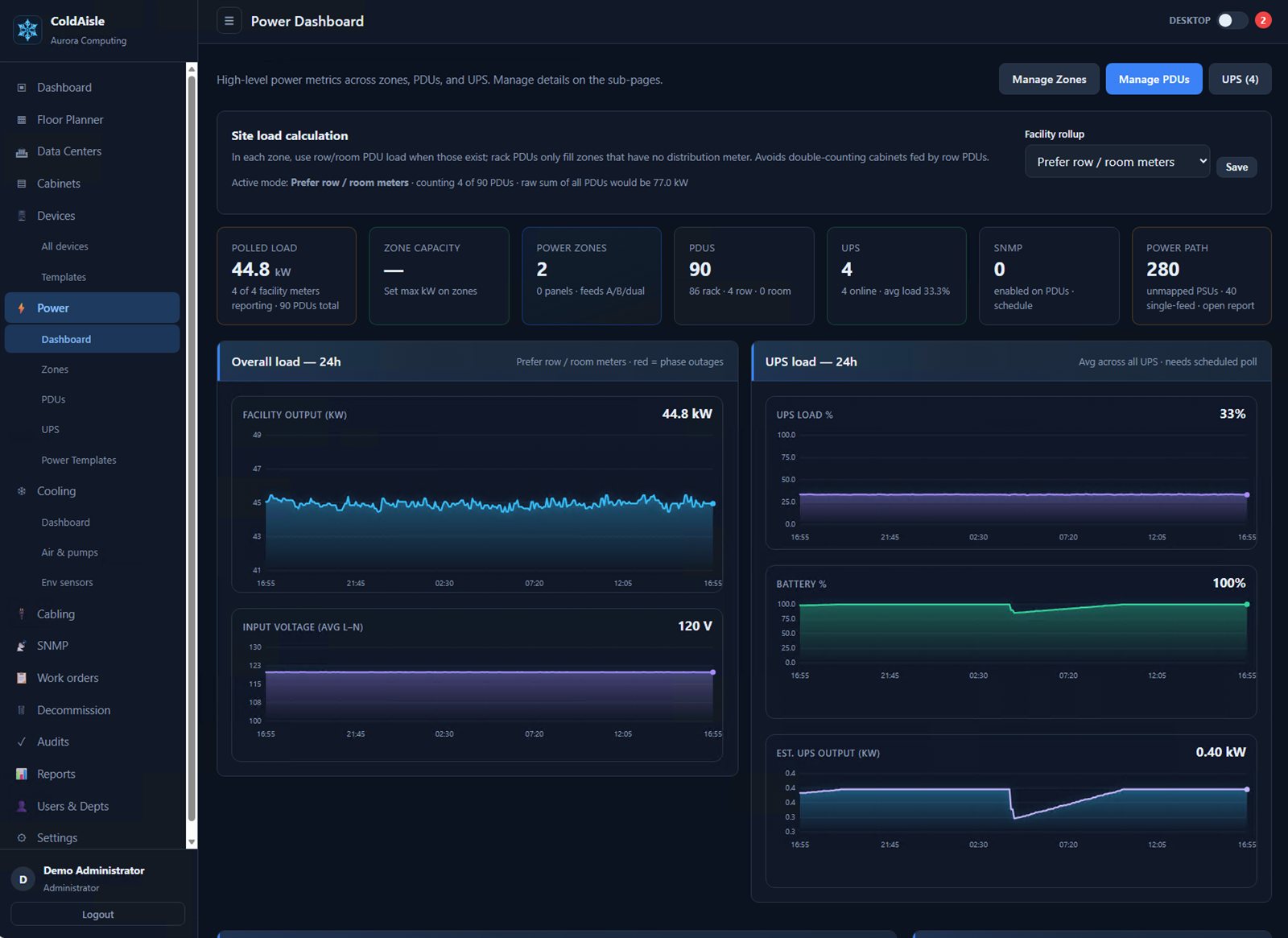
A/B zones, panels, multi-phase PDUs, outlet inventory, history charts, near/overload alerts.

Cooling

CRAC/CRAH on the plan. Live SNMP, heat spheres, and particle airflow you can see — not a bolt-on BMS dashboard.

Raceways

Ladder, fiber U-channel, trough, conduit. Multi-hop paths and shortest-path calculation.

IPAM

Address plan and subnet plan in the same DCIM. Aligned indexes for multi-homed WAN — assign a site once, same last octet on every prefix.

SNMP

v2c/v3, encrypted secrets, MIB upload, Discover, OID templates, scheduled poll worker.

openDCIM migration

Live API or JSON dumps. Preview first. Mode A keeps the floor plan you already placed.

All capabilities →

Operators

Using ColdAisle? Tell us about it

Halls, imports, what you click every week, what is still a spreadsheet. Operator notes beat a feature survey.

Tell us about it

Synced from GitHub

v1.0.1

Sep 8, 2026 · Latest tagged release from sabap/ColdAisle.

Read release notes